Firstrust is updating how you log in and authorize activity in online and mobile banking. Beginning soon, customers will be able to use new authentication methods: Trusted Mobile Devices and Passkeys.
As part of this change, Secure Access Codes (sent by text, email, or voice) and Symantec VIP tokens will be retired. Trusted Mobile Devices and Passkeys will become the only available authentication options.
This upgrade is part of our ongoing commitment to protect you against fraud while making your digital banking experience faster and easier.
Why the Change?
Fraudsters are becoming more sophisticated, often tricking customers into sharing their Secure Access Codes and unintentionally giving up access to their accounts.
By moving to Trusted Mobile Devices and Passkeys, Firstrust is reducing that risk and giving you a simpler, more secure way to confirm your activity. These technologies are phishing-resistant and tied directly to your personal device—meaning they are far more secure than one-time codes sent by text or email.
What are Trusted Mobile Devices and Passkeys?
Trusted Mobile Device Authentication
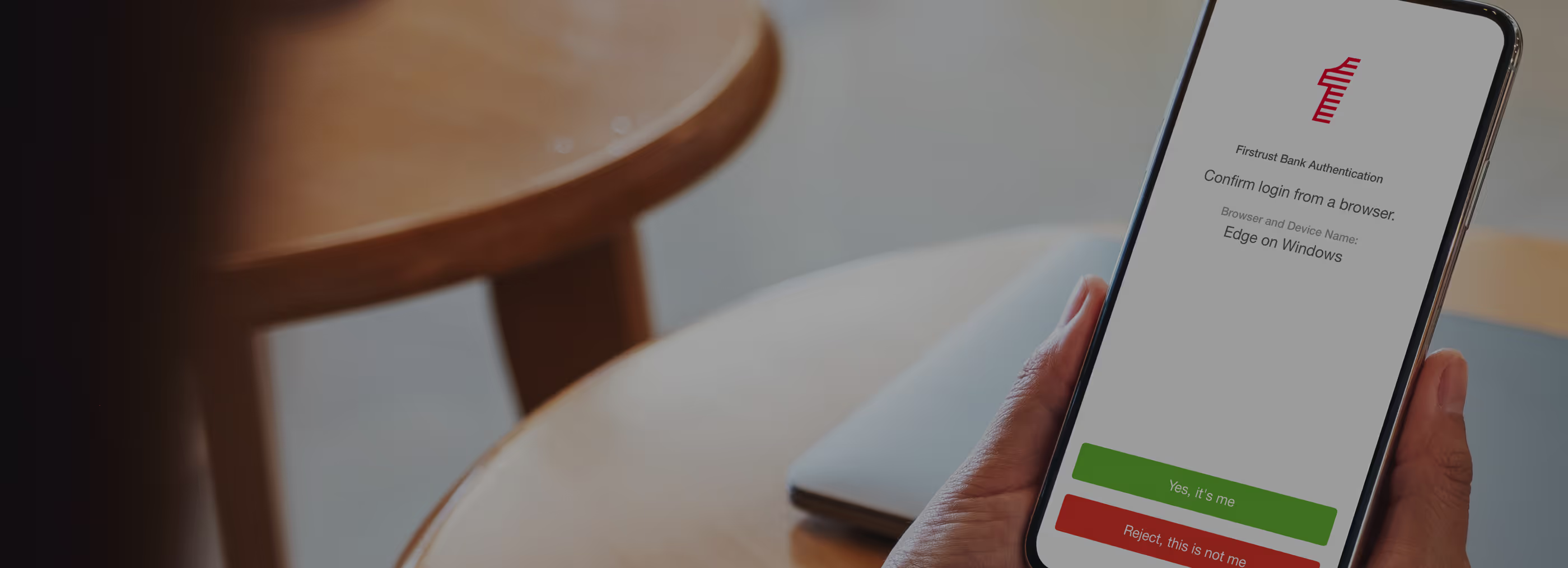
When you log in or process transactions within online banking, you’ll receive a secure notification through the Firstrust Mobile App on your trusted mobile device.
- Simply tap “Approve” to confirm your activity.
- No codes to copy.
- No texts or emails to worry about.
- No risk of a fraudster intercepting your code.
Your smartphone becomes your digital key, ensuring only you can approve logins and transactions.
Passkeys
Passkeys are the next generation of authentication, built on industry standards supported by the FIDO Alliance, with members including big tech companies like Apple, Google, and Microsoft.
With a passkey, you can log in and approve transactions using built-in features on your device such as Face ID or Touch ID. Instead of relying on something you know (like a password or code), passkeys rely on something you are (your biometrics) and something you have (your device).
How it works:
- A passkey creates a unique digital credential stored securely on your device.
- That credential cannot be shared, phished, or reused.
- Even if a scammer tricks you, they cannot use a passkey from another device—it’s locked to yours.
Passkeys are not only easier to use but also significantly reduce fraud by eliminating common attack vectors such as phishing, credential stuffing, and SMS code interception.
What You’ll Need
- Download the Firstrust Mobile App on your smartphone (Apple App Store or Google Play).
- Enable app notifications so you can receive login approval prompts.
- Even if you usually bank from a desktop, the mobile app will now play a critical role in authentication.
Bank with Confidence
At Firstrust, your security always comes first. Authentication is becoming stronger, smarter, and simpler—so you can bank with confidence knowing your accounts are protected with the latest technology.
Need Help?
Contact our Customer Care Team at 800-220-BANK if you need additional support or have questions.