
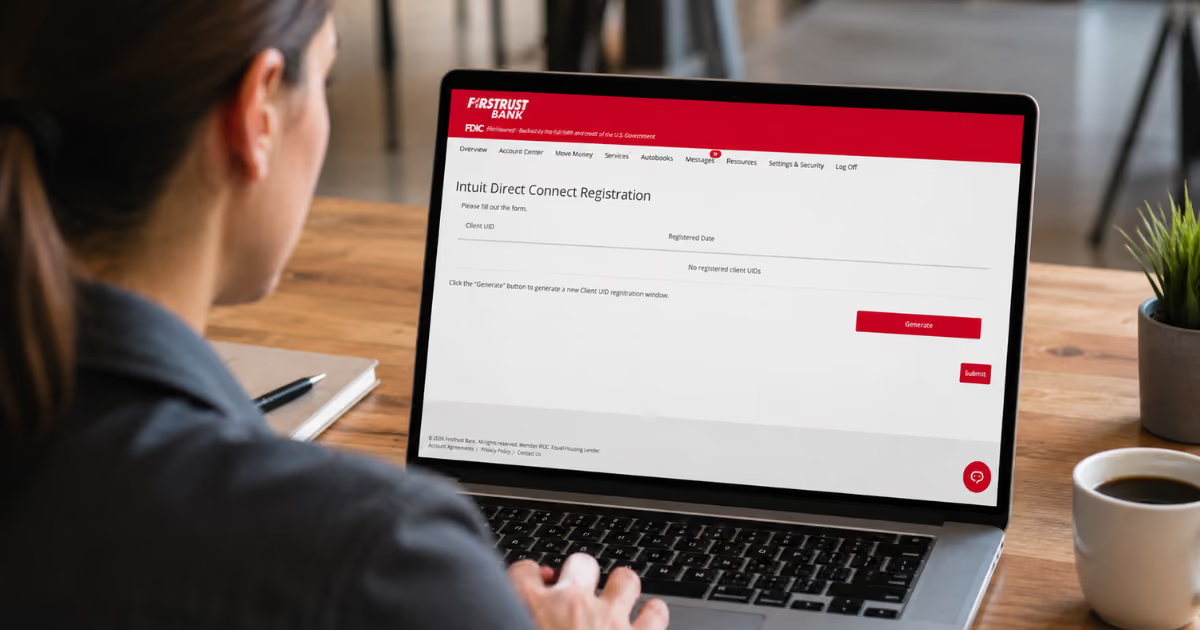
connect to quickbooks® or quicken®
what is direct connect?
Direct Connect securely links your Firstrust accounts with Quicken® and QuickBooks Desktop®, allowing you to automatically download transactions and keep your financial information up to date. Once connected, your account activity syncs directly into your software, helping simplify bookkeeping, budgeting, and account reconciliation. Contact Firstrust to request Direct Connect access.
Introducing Client uID (Unique Identification) for Enhanced Security
Client UIDs are being added to Direct Connect to strengthen authentication and improve the reliability of data sharing between Firstrust and Quicken or QuickBooks Desktop. This enhancement supports a more secure and scalable connection experience.
If you connect between June 22 and August 31, 2026:
Just connect your Firstrust account in Quicken or QuickBooks Desktop like you normally do. Your connection should be automatically registered.
If you connect after August 31, 2026:
If you attempt to connect your Firstrust accounts to QuickBooks Desktop or Quicken after August 31, 2026 without first generating a Client UID within Firstrust online banking, you will receive the following message:
"Please register this file using the Direct Connect form in online banking."
To complete your setup and establish a secure connection, please follow the steps below to generate your Client UID and finish the registration process.
How to complete client UID registration
STEP 1:
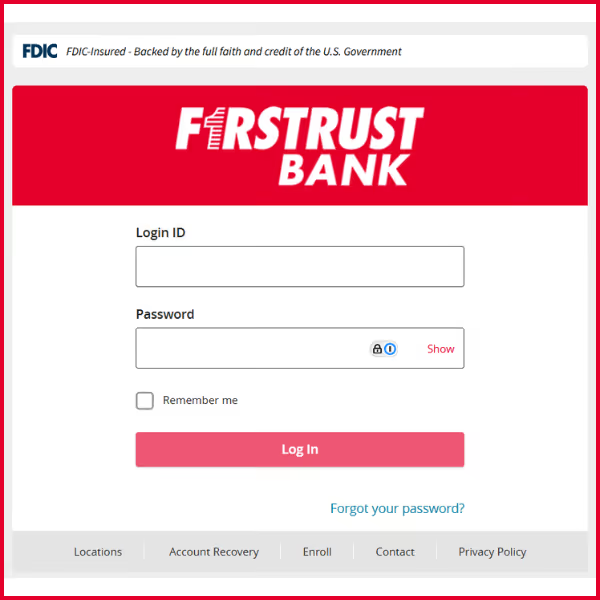
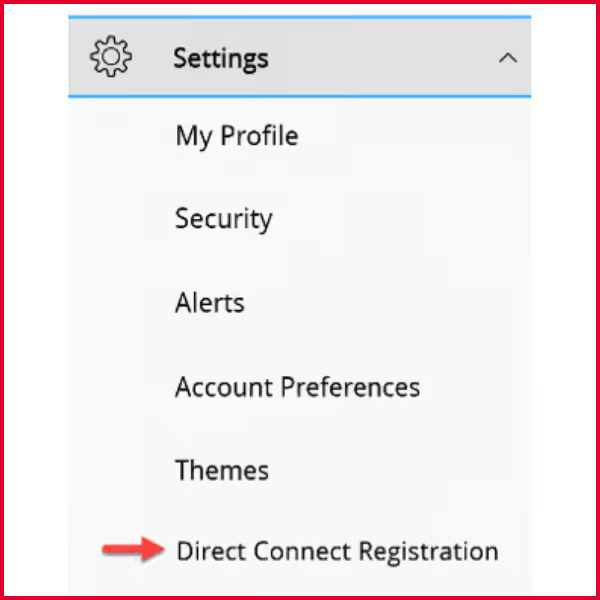
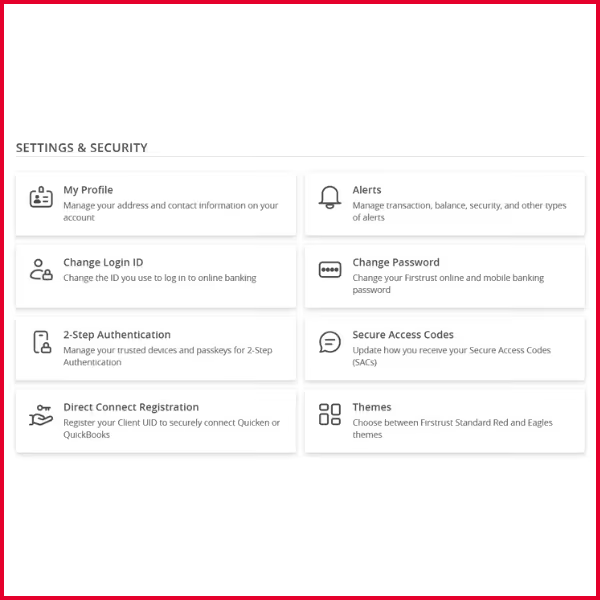
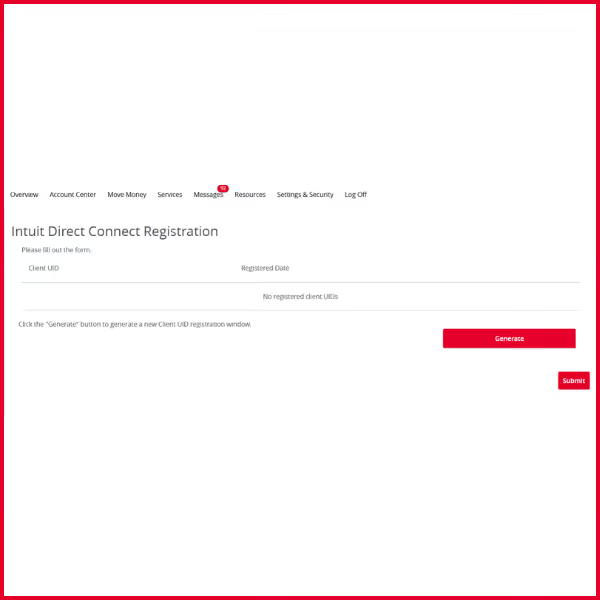
Log into Firstrust online or mobile banking and navigate to the Direct Connect Registration page under Settings.
STEP 2:
Click Generate to create a secure window. You'll see a confirmation message letting you know your registration window has been created.
STEP 3:
Within 15 minutes, open QuickBooks Desktop or Quicken to connect or refresh your Firstrust account connection. Once complete, your connection will be securely registered and you should not need to repeat this step unless you create a new file or need to reconnect in the future.

QuickBooks Help
Connect Firstrust accounts in QuickBooks
Use QuickBooks Desktop to connect or refresh your Firstrust accounts and download recent transactions.
Common QuickBooks steps may include:
- Open QuickBooks Desktop
- Go to your bank feeds or banking section
- Select your Firstrust account
- Refresh or update the connection
- Follow any prompts from QuickBooks
QuickBooks Support Links:
Quicken Help
Update Firstrust accounts in Quicken
Use Quicken's One Step Update or Account Update feature to refresh your Firstrust account connection.
Common Quicken steps may include:
- Open Quicken
- Go to One Step Update or your Firstrust account register
- Select update now
- Refresh or update the connection
- Follow any prompts from Quicken
Quicken Support Links:
Frequently Asked Questions
If you successfully connected your Firstrust account to Quicken or QuickBooks Desktop between June 22 and August 31, 2026, you should be automatically registered.
Log in to Firstrust online banking and go to Settings > Direct Connect Registration. Select Generate, and then return to Quicken or QuickBooks Desktop to connect or refresh your connection within the 15-minute window.
Try the registration again and reconnect in Quicken or QuickBooks Desktop right away. If it still does not work, contact Firstrust Customer Care.
No. This is intended to be a one-time registration for your existing connection. You may need to repeat it if you create a new file, change your connection, or reconnect later.
No. The Client User ID is part of the secure connection between Firstrust online banking and Direct Connect. Do not share your online banking password with anyone.
Need Help setting up direct connect?
Our Customer Care Team can help with Firstrust online banking access and Direct Connect registration questions. For questions about using Quicken or QuickBooks, please contact Quicken or QuickBooks support directly.
Firstrust Customer Care: 800.220.BANK
†DISCLOSURES:
Online banking features may be limited or different for every customer based on their account type and/or other factors. Minimum system requirements must be met to access online banking.
Apple iPhone and App Store are registered trademarks of Apple Inc. Android and Google Play are trademarks of Google LLC. Mobile banking requires you to download the mobile banking app and is only available for select mobile devices and operating systems. Message and data rates may apply.
For retail customers, please see the Retail Mobile and Online Banking Agreement for details.
For business and commercial customers, please see Master Commercial Account Agreement.
All account agreements can be found firstrust.com/account-agreements.